Virtual Server Hosting
High-performance virtual servers. Start your project in minutes with instant scaling, root access and 24/7 support.
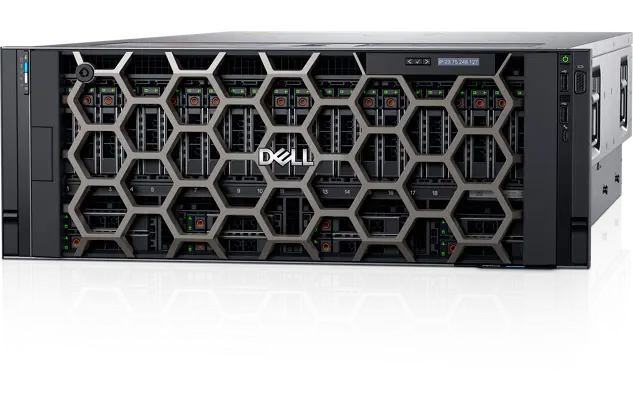

Virtual Server Packages
Explore our virtual server packages for your business needs. All packages include high-performance NVMe disks and instant scaling.
For projects that need higher single-core performance, see our Ryzen virtual server packages; for rendering and AI workloads, see our GPU virtual server packages.
VDS-1
VDS-2
VDS-3
VDS-4
VDS-5
VDS-6
VDS-7
VDS-8
VDS-9
Compared against server processors of the same and the previous generation.
up to 34% higher multi-core performance
Intel Xeon Platinum 8168: 24 cores, 48 threads
Our virtual servers run on the Intel Xeon Platinum 8168. Against the Xeon Platinum 8160 from the same family it scores 12% higher in multi-core work, and 34% higher than the previous generation’s flagship, the Xeon E5-2699 v4.
Single-core the gap is smaller: 6% over the E5-2699 v4. That is what you would expect — server processors of the same generation sit close together on a single core, and the difference shows up under concurrent load. A high core count is the right choice for web servers, databases and virtualisation that answer many requests at once.
Source: PassMark CPU Mark, . Scores are published by an independent benchmark database rather than by the manufacturer, and are updated over time. Real-world performance on a virtual server depends on the number of vCPUs allocated to your package.
Common Features in All Packages
Our virtual server services offer high performance, flexibility, easy management, data security, free setup, robust infrastructure, instant scaling, DDoS protection and snapshot support.
Free Setup
Your server is set up automatically and free of charge right after your order. Your operating system is ready within minutes.
Instant Scaling
Increase or decrease vCPU, RAM and disk space instantly according to your needs. Manage your resources flexibly.
Root Access
Configure your server as you wish with full root (sudo) access. Take full control over the OS, software and services.
Turkey Location
Our servers are located in Turkey. Deliver the best experience to your users in Turkey with low latency and high speed.
DDoS Protection
Stay protected against attacks with strong DDoS protection. Minimize service disruptions and security risks.
24/7 Technical Support
Our expert team is with you 24/7 via live chat, email and phone. We answer your questions within an average of 15 minutes.
What Determines Virtual Server Pricing?
Virtual server rental pricing scales with the resources allocated to the package. Our plans span ten tiers, from 129.99 TL to 1,000 TL per month.
- Processor
- Allocated vCPU count and core speed. Standard plans run on Intel Xeon Platinum 8168; where single-core speed is decisive, Ryzen 9 9950X plans start at 400 TL.
- Memory
- From 2 GB to 32 GB. Windows servers need roughly one tier more memory for the same workload.
- Disk
- From 35 GB to 240 GB. Every plan uses NVMe SSD, so disk type is not a price variable - only capacity is.
- Network
- 1 Gbps port on every plan. Transfer speed is not throttled by tier.
- Location
- Istanbul data center. Measured latency within Turkey is 5-15 ms.
Comparing monthly price alone is misleading: disk type, port speed and location can make two plans in the same price band behave very differently.
What is a Virtual Server (VDS)?
A virtual server (VDS - Virtual Dedicated Server) is a hosting solution created by dividing a physical server into multiple independent virtual servers using virtualisation technology. BalHost virtual server packages deliver high performance, flexibility and cost efficiency with advanced virtualisation. Ideal for small and medium businesses, developers and individual projects.
root@balhost:~$ apt update -y
Reading package lists... Done
root@balhost:~$ service nginx start
Starting nginx... [OK]
_
What are the Benefits of VDS Hosting?
- Cost efficiency: Much more affordable than a physical server. More control than shared hosting, lower cost than a dedicated server.
- Flexibility and scalability: Increase or decrease vCPU, RAM and disk space instantly. Manage your resources flexibly.
- Quick setup: Virtual servers are ready within minutes. Much faster than physical server deployment.
- Root access: Configure your server and run custom software and applications with full root (sudo) access.
- Isolation: Work in a fully isolated environment from other virtual servers thanks to advanced virtualisation.
- Turkey location: Our servers are located in Turkey. Deliver the best experience to your local users with low latency and high speed.
What is the Difference Between VDS and VPS?
Although VDS (Virtual Dedicated Server) and VPS (Virtual Private Server) are often confused, there are important differences in performance and isolation.
VPS: Resources (CPU, RAM) are shared in software. Load on one server can affect others (noisy neighbour effect).
VDS: Resources are dedicated to you in hardware. Only you use the CPU and RAM assigned to you. This provides 100% performance guarantee and full isolation. BalHost VDS packages deliver true dedicated performance.
Windows Virtual Server and Linux Virtual Server
You choose the operating system on every virtual server package. Installation is free and completes within minutes of your order; you can reinstall from the panel whenever your needs change.
Windows Virtual Server
Virtual servers running Windows Server are managed over a remote desktop (RDP) connection. Suitable for MSSQL, IIS and .NET based applications, as well as desktop software that requires a graphical interface.
Linux Virtual Server
Linux virtual servers installed with Ubuntu, Debian, CentOS, Rocky Linux or AlmaLinux give you full root access over SSH. With no licence cost, they are a more economical choice on the same hardware.
Supported Operating Systems
The distributions below can be installed with a single click during ordering. If you need a version not listed or a custom image, ask our technical team.
-

Ubuntu
24.04 / 22.04 LTS
The most common choice, with a broad package repository and strong community support; LTS releases receive five years of updates.
-

Debian
12 / 11
Known for prioritising stability; preferred for long-lived servers and installations that need low resource usage.
-

CentOS
Stream 9
Comes from the enterprise Linux tradition; migrating existing CentOS-based configurations raises no compatibility issues.
-

Rocky Linux
9 / 8
A free enterprise alternative that is bug-for-bug compatible with RHEL; the natural choice for teams moving off CentOS.
-

AlmaLinux
9 / 8
Another RHEL-compatible option, offering a long support window and a smooth version upgrade path.
-

Windows Server
2022 / 2019 / 2016
For MSSQL, IIS, .NET applications and software that needs a graphical interface; managed over remote desktop (RDP).
If you are unsure which operating system suits your project, our 24/7 technical support team will guide you based on your requirements.
Shared Hosting vs VPS vs VDS vs Dedicated Server
We compared all four hosting types against the same criteria so you can see which one fits your project.
| Criterion | Shared Hosting | VPS | VDS (BalHost) Recommended | Dedicated Server |
|---|---|---|---|---|
| Resource allocation | Fully shared | Software-level sharing | Hardware-dedicated | Entirely yours |
| Root / admin access | No | Yes | Yes | Yes |
| Performance consistency | Low | Variable | High | Highest |
| Scaling | Limited | Moderate | Instant (from panel) | Requires hardware change |
| Setup time | Minutes | Minutes | ~5 minutes | 24-48 hours |
| Monthly entry cost | Lowest | Low | Moderate | High |
| Best suited for | Small brochure sites | Mid-sized websites | Business sites, e-commerce, apps | High traffic, heavy databases |
In short, a VDS combines the flexibility of a VPS with the performance consistency of a dedicated machine. If your needs sit at the right end of the table, see our dedicated server hosting page.
Which Virtual Server Package Should I Choose?
Rather than price alone, base your choice on concurrent users and data intensity. The table below suggests a starting point for typical scenarios.
| Project type | Recommended package | Why |
|---|---|---|
| Personal site, blog, test and development environment | VDS-1 / VDS-2 | 2 vCPU and 2-3 GB RAM are enough for a single low-traffic application. |
| Business website, WordPress, small e-commerce | VDS-3 / VDS-4 | 4-6 GB RAM comfortably handles plugin-heavy CMS and moderate traffic. |
| Mid-sized e-commerce, multiple sites | VDS-5 / VDS-6 | 8 GB RAM and 4-6 vCPU balance concurrent orders and search load. |
| High-traffic site, API and application server | VDS-7 / VDS-8 | 8 vCPU for CPU-bound requests, 16 GB RAM for comfortable caching. |
| Large database, virtualisation, enterprise app | VDS-9 / VDS-10 | 32 GB RAM keeps the database in memory and cuts disk access. |
When in doubt, start smaller and scale up instantly — resource upgrades complete in minutes without shutting the server down.
How Do I Rent a Virtual Server?
Renting a virtual server happens entirely online and takes about five minutes. The process has four steps:
- 1
Choose your package
Pick the vCPU, RAM and disk combination that matches your concurrent users and data intensity. If you are unsure, the package guide table above suggests a starting point.
- 2
Select the operating system
Choose Windows Server or a Linux distribution on the order form. Installation is free, and you can reinstall from the panel whenever your needs change.
- 3
Complete the order
After payment your order is processed automatically. Credit card and bank transfer are available, and we issue invoices for business customers.
- 4
Receive your access details
Once the server is ready, your IP address, username and password arrive by email. Connect over remote desktop (RDP) for Windows or SSH for Linux.
After setup the server is fully under your control; scaling, reinstallation and console access are managed from the customer panel, and our support team stays available 24/7.
Virtual Server Use Cases
A virtual server suits almost any workload that has outgrown shared hosting. The scenarios we see most often:
Websites and e-commerce
Manage your own web server, PHP version and caching configuration to reach speeds shared hosting cannot deliver.
ERP and accounting software
Run your ERP and accounting applications on a central server so branches and remote teams all work from the same up-to-date data.
Application and API servers
Run Node.js, Python, .NET or Java applications with your own runtime version, without restrictions.
Development and staging
Build an exact replica of production and experiment safely using snapshots.
Database servers
For MySQL, PostgreSQL or MSSQL, the high IOPS of NVMe storage noticeably shortens query times.
Backup and remote desktop
Use it as a shared working environment accessible from outside the office, or as a secondary backup point for critical data.
What Determines Virtual Server Performance?
Two virtual servers at the same price can differ significantly in speed. The gap comes from how the five components below are configured; checking these tells you more than the RAM figure alone.
vCPU and core allocation
How a core is allocated matters as much as how many you get. When resources are dedicated at the hardware level the core works only for you; with software-level sharing the same physical core is time-sliced across several customers, producing CPU steal time at peak hours. Single-core speed matters more than core count for single-threaded workloads such as PHP or Node.js.
RAM and swap usage
When memory fills up the operating system starts swapping to disk, and because disk is far slower than memory the server slows noticeably at that point. On database servers, sizing RAM to hold the frequently accessed portion of your data set is the highest-return optimisation available.
Disk IOPS and latency
Disk performance is measured in IOPS rather than MB/s. SATA SSDs typically deliver 50,000-100,000 IOPS, while NVMe drives run over the PCIe bus and reach several hundred thousand with latency down to microseconds. Applications doing many small reads — databases, CMS, e-commerce — feel this difference most.
Network bandwidth and latency
Port speed defines how fast data flows; latency defines how long the first byte takes to arrive. Page load speed is usually shaped by latency rather than bandwidth, so choosing a location geographically close to your visitors makes more difference than raising port speed.
Virtualisation layer
Full virtualisation such as KVM gives each server its own kernel, so you can load kernel modules and run Docker or nested virtualisation. Container-based shared setups use a common kernel and lack that flexibility. If you plan to run custom software, confirm the virtualisation type before ordering.
Essential Security Measures for Your Virtual Server
Root access gives you full control, and with it a share of the security responsibility. DDoS protection and network security at the infrastructure layer are ours; the steps below cover configuration inside the server and should be applied at first setup.
SSH keys instead of passwords
Disabling password login on Linux servers and switching to SSH keys neutralises brute-force attacks entirely. Changing the default port 22 also cuts automated scanning traffic noticeably.
Firewall and open ports
Leave only the ports you actually need open — managed with ufw or firewalld on Linux and Windows Defender Firewall on Windows. Keeping database ports (3306, 5432, 1433) off the public internet is critical; reach them from inside the server or over a VPN.
Regular updates
Apply security updates for the operating system and the software you run. Most breaches exploit known vulnerabilities patched months earlier rather than zero-day flaws.
Backups and restore drills
Taking backups is not enough on its own; you cannot know a backup works until you have restored from it at least once. Taking a snapshot from the panel before a major update lets you roll back within minutes if something breaks.
Monitoring and log review
Watch CPU, memory, disk usage and failed login attempts. A full disk is one of the most common causes of database services stopping silently, and a simple alert rule prevents it entirely.
Why BalHost Virtual Server?
Virtual server hosting for high performance, flexibility and security
High Performance
Maximum performance with powerful infrastructure and high-speed disks
Instant Scaling
Manage your resources flexibly according to your needs
24/7 Support
Our expert team is always with you, instant solutions
Security
Maximum security with DDoS protection and isolated infrastructure
Frequently Asked Questions
What is a virtual server and when should it be used?
A virtual server (VDS) is a hosting solution created by dividing a physical server into multiple independent virtual servers using virtualisation. Ideal when shared hosting is not enough but dedicated server hosting is not needed. A great choice for websites, applications, databases and development environments.
How long does server setup take?
Virtual server setup is usually completed within 5 minutes. Standard OS setups (Ubuntu, CentOS, Debian, Windows Server) are done quickly; custom configurations may take a bit longer. You are notified by email when setup is complete.
How does instant scaling work?
With instant scaling you can increase or decrease vCPU, RAM and disk from your control panel. Manage your resources flexibly. Resource upgrades are usually completed within minutes and billed automatically.
What are the benefits of a Turkey location?
Having our servers in Turkey gives your users in Turkey very low latency (ping) and high connection speeds. It also offers advantages for data privacy and local compliance. For SEO, sites hosted in Turkey rank better in searches by Turkish users.
What to consider when renting a virtual server?
When renting a VPS/VDS, prioritise these 5 criteria for performance and continuity:
- Hardware: Prefer NVMe SSD and next-gen CPUs for speed.
- Location: Choose the data centre closest to your visitors (e.g. Turkey) for faster load times.
- Uptime: Ensure the provider offers 99.9% uptime guarantee.
- Scalability: Choose flexible packages that allow RAM and CPU upgrades without downtime.
- 24/7 technical support: Accessible support is vital for quick resolution.
How to choose the best and most affordable virtual server?
The best virtual servers stand out by performance, not just price. When looking for an affordable option, evaluate packages with NVMe SSD and modern CPUs so you don't compromise on speed. The ideal choice is a scalable solution that combines value, uptime guarantee and fast virtual server technology.
How much does virtual server rental cost?
Our virtual server plans run from 129.99 TL to 1,000 TL per month across ten tiers. The entry plan starts at 2 vCPU and 2 GB RAM; upper tiers reach 12 vCPU and 32 GB RAM. NVMe SSD, a 1 Gbps port and the Istanbul location are standard on every plan. For workloads where single-core speed is decisive, Ryzen 9 9950X plans start at 400 TL.
What is the difference between a virtual server and shared hosting?
On shared hosting, hundreds of sites share the same resources and the same operating system, so you cannot install your own software or change system settings. A virtual server gives you dedicated vCPU, RAM and disk plus full root access, so you install what you need and configure the server your way. Traffic spikes on neighbouring sites do not affect your performance.
How do I connect to my virtual server?
Windows servers are accessed over Remote Desktop (RDP): enter the IP address, username and password we send you into the built-in Remote Desktop client. Linux servers are accessed over SSH, using a terminal on macOS and Linux or PuTTY on Windows. If the operating system fails to boot, console access in the customer panel takes over.
How are backups and data security handled?
Our servers run in a data center with redundant power and network, and DDoS protection is included as standard. Data inside the server remains your responsibility: you can take snapshots from the customer panel and roll back to them when needed. For critical projects we recommend keeping a second backup outside the server as well.
What software can I run on a virtual server?
With full root access you can install anything compatible with your operating system: web servers (Nginx, Apache, IIS), databases (MySQL, PostgreSQL, MSSQL), Docker and container environments, Node.js, Python, PHP and .NET runtimes, control panels such as cPanel or Plesk, and ERP or accounting applications. Licensed software still requires you to supply the licence.